Invoicing Customers

Invoicing Customers

Getting paid is a vital part of your business, and Load Manager TMS simplifies the process of generating and sending invoices to your customers.
Check the Load Status:
  • Locate the load you wish to invoice
  • From the "Status" drop-down menu, select one of the following and Save
    • BOOKED
    • DISPATCHED
    • ARRIVED
    • LOADED/UNLOADED
    • DEPARTED
    • DELIVERED
    • POD
Access the Invoice:
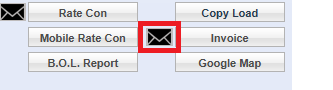
  • After saving, the "Customer Con" button will change to an "Invoice" button.
  • Click the "Invoice" button to view or download the invoice as a PDF
Email the Invoice:
  • Look for the envelope symbol near the invoice.
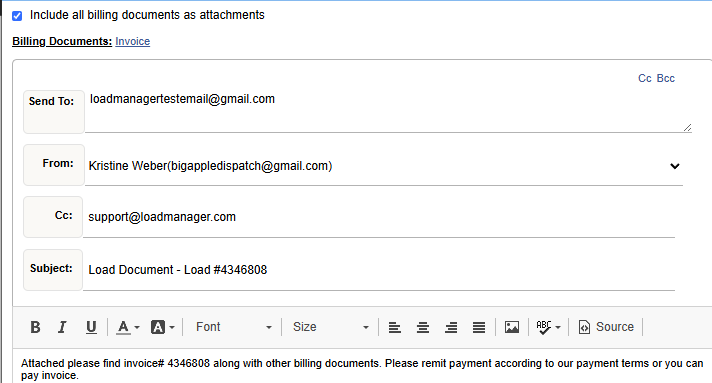
  • Click the envelope to email the invoice directly to the customer.
Helpful Resources
Troubleshooting
"Invoice" button not appearing? Check with a administrator that your user has the correct permissions enabled.
peri hokiperihokiduta76duta 76AWSBEThttps://sintnicolaasschool.com/https://abc1131aa.com/kincir88cakar76Slot mahjonghttps://www.abc1131.it.com/stc76audit algoritma rtp stabilitas visual engine pg softevaluasi gameplay mahjong ways pg soft pola sesianalisis mahjong ways pragmatic play respons sistem harianstrategi analitik sistem rtp game digital modernkalkulasi peluang logika engine mahjong ways 2aws micro engagement ai multiplier mahjongaws perspektif pemain winrate historisaws wild multiplier mahjong pgsoft intensaws durasi sesi scatter hitam turboaws perhitungan waktu algoritma bandito rtpaws pola rahasia simbol premium mahjongaws analisis kuantitatif simbol premium mahjongaws presisi data algoritma scatter mahjongaws transformasi rtp stabil pgsoft data